Prepare, clean, and transform data visually. EasyMorph helps analysts and teams save hours every day with secure automation.
Book a demo
.svg)
organizations
countries
capabilities
.svg)
Credigy signifcantly improved data processing throughtput and freed up to 4x additional time for data analysis with EasyMorph
Casey Adams,
Really a great product and I am absolutely happy that I have "found" it and that I could convince my CIO that easymorph is the right tool for our use case. He’s happy with the decision, too :)
Jochen M.,
Design repeatable data workflows in seconds:
.svg)
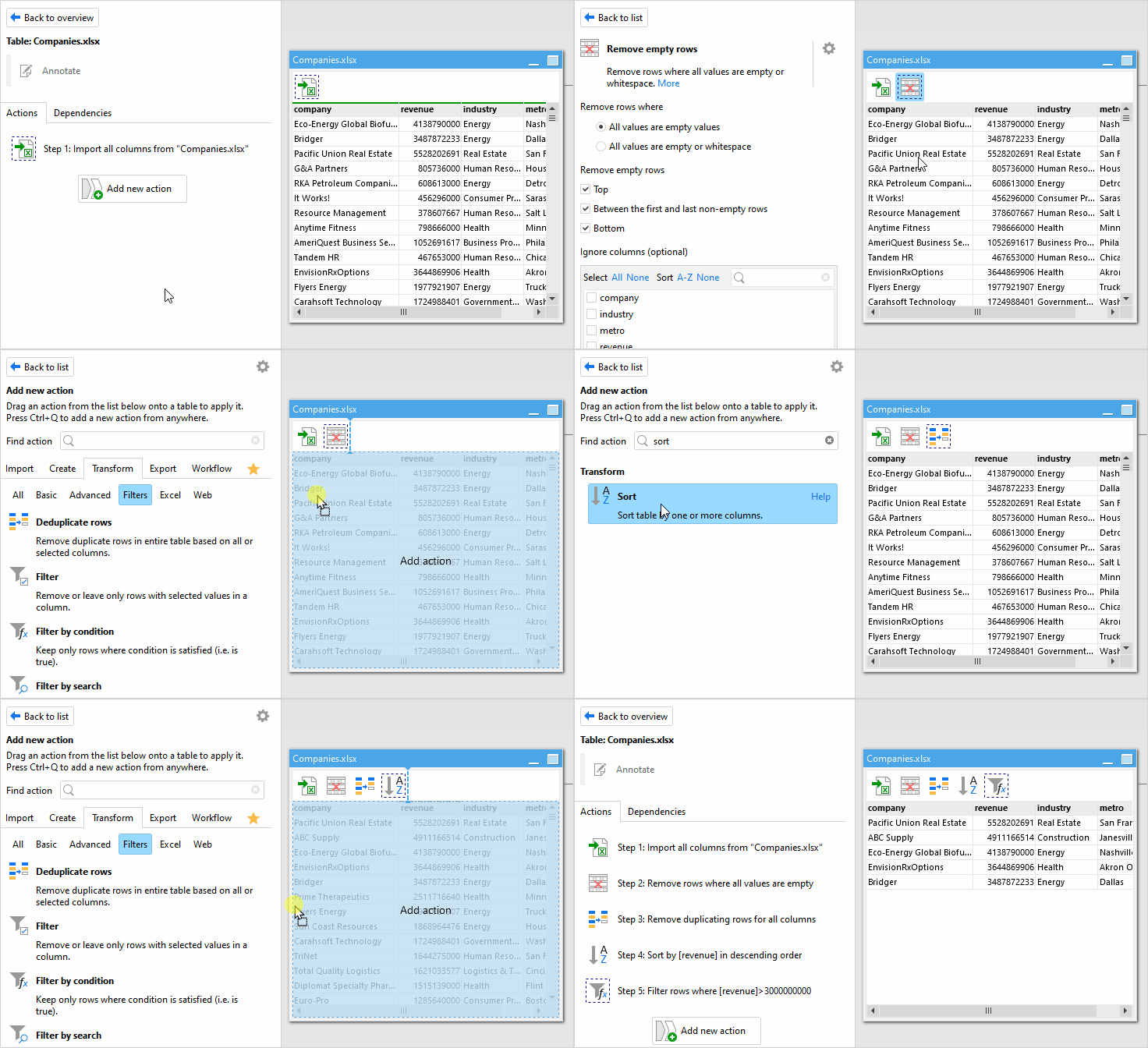
Actions for every data task, updated continuously:

Save time by replacing tedious, manual data manipulations in spreadsheets with visual automation workflows.

Consolidate data from multiple spreadsheets, files, databases, and web APIs without coding or manual work.

Automate robust, auditable, and verifiable financial and analytical calculations with complex business rules.
Receive and process hundreds and thousands of files in various formats automatically, without manual data wrangling.

Generate, publish, and distribute spreadsheets with personalized tabular reports.

Fix errors and inconsistencies in data automatically, without manual work.

Advanced data preparation for popular
Business Intelligence applications such
as Power BI, Tableau, or Qlik.

Query databases without knowing SQL.
Find, explore, and retrieve data from
business applications without
programming.

Analyze trends, discover major
contributors and outliers, and take pre-
programmed actions with a single
button click.

EasyMorph uses a high-performance in-memory engine optimized for quick data processing. It can easily handle millions of rows on a standard computer and is ideal for transforming large datasets without the need for SQL or specialized hardware.
Yes. When you buy EasyMorph Desktop Professional license, you also receive the companion application, EasyMorph Launcher. This application lets you automate and schedule recurring workflows with a single click.
No. EasyMorph is a no-code platform designed for non-technical and technical users. You can build complex data workflows through the visual drag-and-drop interface. For more advanced users, there's expressions and optional scripting when needed.
Yes, your data is always secure when you use Easymorph. EasyMorph runs locally on your computer or private server, so your data stays in your environment. Nothing is sent to the cloud unless you choose to connect to cloud services. It stays where you want it, so you can protect your information.
Book a free 20-minute demo to explore how to automate your data workflows.

.svg)
.svg)

